พื้นฐาน EA และการเทรดอัตโนมัติบน MT4/MT5EA and Automated Trading Basics on MT4/MT5
EA ทำงานอย่างไร ต้องตั้งค่าอะไรบ้าง ตรวจอย่างไรว่าทำงานถูก และความเสี่ยงที่คนมักมองไม่เห็นเมื่อปล่อยให้โปรแกรมเทรดแทนHow an EA works, what to configure, how to check it is behaving, and the risks people miss when they let a program trade for them.
ในบทความนี้ · 7
In this article · 7
EA (Expert Advisor) คือโปรแกรมที่รันอยู่ใน MetaTrader 4 หรือ 5 และทำตามกฎที่เขียนไว้โดยอัตโนมัติ ตั้งแต่อ่านราคา ตัดสินใจ ส่งคำสั่ง ไปจนถึงเลื่อน SL หรือปิดไม้ ข้อดีคือทำตามกฎได้สม่ำเสมอโดยไม่มีอารมณ์ และทำงานได้ตลอดเวลาที่ตลาดเปิด แต่ EA ไม่ได้ฉลาดกว่ากฎที่อยู่ข้างใน ถ้ากฎไม่มีความได้เปรียบ EA ก็จะขาดทุนอย่างมีระเบียบเช่นกัน
EA ทำงานอย่างไร
- ทำงานเมื่อมีราคาใหม่ (Tick) ทุกครั้งที่ราคาขยับ EA จะถูกเรียกให้ตรวจเงื่อนไข บางตัวทำงานตามตัวจับเวลาด้วย
- ทำงานบนกราฟที่แปะไว้ EA หนึ่งตัวต่อหนึ่งกราฟ ถ้าปิดกราฟหรือปิดโปรแกรม EA ก็หยุด
- แยกไม้ของตัวเองด้วย Magic number ตัวเลขประจำที่ติดไปกับทุกคำสั่ง ทำให้ EA รู้ว่าไม้ไหนเป็นของมัน ถ้าใช้ EA หลายตัวในบัญชีเดียว ต้องตั้งเลขไม่ซ้ำกัน
- ต้องให้สิทธิ์เทรด ปุ่ม Algo Trading (MT5) หรือ AutoTrading (MT4) ต้องเปิด และในหน้าตั้งค่าของ EA ต้องอนุญาตให้เทรดอัตโนมัติ
ไฟล์ที่ใช้คือ .mq4/.mq5 (โค้ดต้นฉบับ) และ .ex4/.ex5 (ไฟล์ที่คอมไพล์แล้ว) วางในโฟลเดอร์ MQL4/Experts หรือ MQL5/Experts ซึ่งเปิดได้จากเมนู File > Open Data Folder
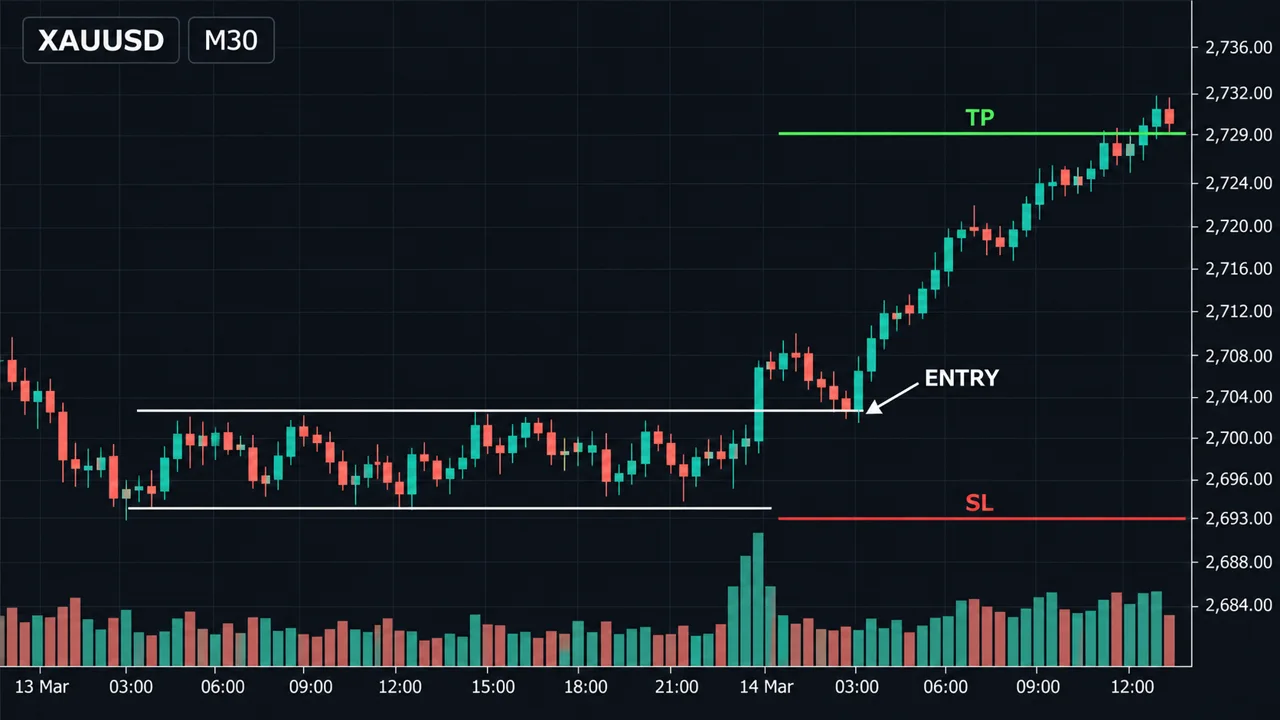
ดูภาพด้านล่าง
ค่าที่ต้องเข้าใจก่อนเปิดใช้
- ขนาดไม้ แบบล็อตคงที่ หรือแบบ % ความเสี่ยงของทุน
- SL และ TP EA ตั้งให้ทุกไม้หรือไม่ ไม้ที่ไม่มี SL คือความเสี่ยงไม่จำกัด
- จำนวนไม้สูงสุด ป้องกันการเปิดซ้อนเกินตั้งใจ
- ฟิลเตอร์สเปรดและเวลา เช่น ไม่เปิดไม้ถ้าสเปรดกว้างผิดปกติ หรือช่วงก่อนข่าว
- Magic number ไม่ซ้ำกับ EA ตัวอื่น
บัญชี $1,000 ตั้ง EA ให้เสี่ยง 1% = $10 ต่อไม้ เทรดทองคำ ล็อตขั้นต่ำและขั้นขยับคือ 0.01 SL $8: ล็อต = 10 ÷ (8 × 100) = 0.0125 ปัดลงเป็น 0.01 ความเสี่ยงจริง = 8 × 100 × 0.01 = $8 (0.8%) SL $3: ล็อต = 10 ÷ (3 × 100) ≈ 0.033 ปัดลงเป็น 0.03 ความเสี่ยงจริง = 3 × 100 × 0.03 = $9 (0.9%) SL $15: ล็อต = 10 ÷ (15 × 100) ≈ 0.0067 ต่ำกว่าล็อตขั้นต่ำ ถ้า EA บังคับเปิดที่ 0.01 ความเสี่ยงจริง = 15 × 100 × 0.01 = $15 (1.5%) สูงกว่าที่ตั้งใจครึ่งหนึ่ง บัญชีเล็กจึงคุมความเสี่ยงได้หยาบกว่าที่ตัวเลขในหน้าตั้งค่าบอก ควรเช็คว่า EA ข้ามไม้หรือบังคับล็อตขั้นต่ำในกรณีนี้
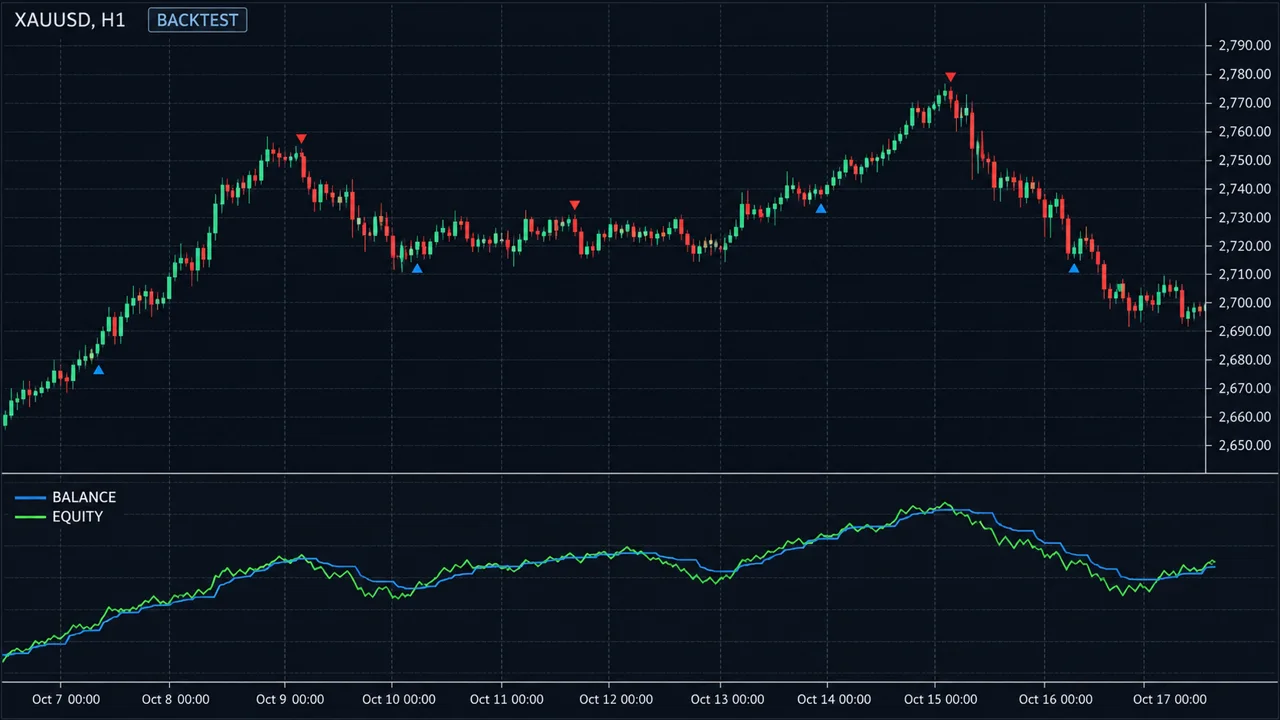
ดูภาพด้านล่าง
ตรวจว่า EA ทำงานถูก
- แท็บ Experts และ Journal ด้านล่างโปรแกรม แสดงข้อความของ EA และผลการส่งคำสั่ง ถ้าคำสั่งถูกปฏิเสธจะมีรหัสข้อผิดพลาดบอกไว้
- ไอคอนบนกราฟ มุมขวาบนของกราฟจะแสดงว่า EA ทำงานหรือถูกปิดสิทธิ์เทรดอยู่
- ทดสอบใน Strategy Tester โหมด Visualization ดูว่า EA เข้าออกตรงกับกฎจริง ดู Backtest
- รันบน demo ก่อน อย่างน้อยหลายสัปดาห์ แล้วต่อด้วยบัญชีจริงไม้เล็ก ดู Forward test
ถ้าอยากลองเขียน EA เองจากกฎที่มี ให้ AI ช่วยร่างโค้ดได้ ดูตัวอย่างคำสั่งที่ หน้ารวม prompt แต่โค้ดที่ได้ต้องคอมไพล์และทดสอบทุกครั้ง AI เขียนผิดได้
การรันตลอด 24 ชั่วโมง
EA ต้องการคอมพิวเตอร์ที่เปิดอยู่และต่ออินเทอร์เน็ตตลอด ถ้าคอมดับ ไฟตก หรือเน็ตหลุด EA จะหยุดดูแลไม้ที่เปิดค้าง (SL/TP ที่ส่งไปที่เซิร์ฟเวอร์แล้วยังทำงาน แต่ trailing stop หรือการปิดตามเงื่อนไขในโปรแกรมจะไม่ทำงาน) หลายคนจึงใช้ VPS
จุดอ่อน / ข้อผิดพลาดที่พบบ่อย
- ซื้อ EA จากผลงานสวย ๆ ไม่รู้ว่าข้างในเป็น grid หรือ martingale ที่สะสมความเสี่ยงไว้ จนวันหนึ่งล้างพอร์ต ดู วิธีดูกลโกง
- ไม่มี SL ในตัวระบบ อาศัยว่า "EA จะปิดเอง" ถ้าโปรแกรมหยุดทำงานไม้ก็ไม่มีใครดูแล
- Magic number ซ้ำ EA สองตัวไปปิดหรือแก้ไม้ของกันและกัน
- ปล่อยทิ้งไม่ดู EA ก็ยังต้องตรวจทุกวัน ดู log ดูว่าทำงานอยู่จริง และผลยังอยู่ในกรอบปกติ
- ปรับค่าหลังขาดทุนทุกครั้ง เป็นการ overfit กับตลาดจริง
- ไม่ตรวจเรื่องสิทธิ์ของโปรแกรม EA ที่ขอให้เปิด DLL หรือส่งข้อมูลออกไปเว็บภายนอก ต้องรู้ว่ามันส่งอะไรไปที่ไหน
ใช้บนมือถือ
แอป MT4/MT5 บนมือถือรัน EA ไม่ได้ แต่ใช้ดูผลงานของ EA ที่รันบนคอมหรือ VPS ได้ โดยล็อกอินบัญชีเดียวกัน ระวังการปิดไม้ด้วยมือจากมือถือขณะ EA กำลังดูแลไม้นั้นอยู่ EA บางตัวอาจเปิดไม้ใหม่ทดแทนทันที
สรุป
- EA คือกฎการเทรดที่ถูกเขียนเป็นโปรแกรม ดีได้เท่ากับกฎข้างใน
- เข้าใจขนาดไม้ SL Magic number และฟิลเตอร์ก่อนเปิดใช้
- ความเสี่ยงจริงอาจต่างจากที่ตั้ง โดยเฉพาะบัญชีเล็กที่ติดล็อตขั้นต่ำ
- ตรวจ log ทดสอบใน Visualization และรัน demo ก่อนเสมอ
- EA ต้องการเครื่องที่เปิดตลอด และยังต้องมีคนดูแลทุกวัน
An EA (Expert Advisor) is a program that runs inside MetaTrader 4 or 5 and follows written rules automatically: reading prices, deciding, sending orders, moving stops and closing trades. Its strength is that it follows the rules consistently, without emotion, whenever the market is open. But an EA is no smarter than the rules inside it. If the rules have no edge, the EA will lose money in a very orderly way.
How an EA works
- It reacts to new prices (ticks). Each time price changes, the EA is called to check its conditions. Some also run on a timer.
- It runs on the chart it is attached to. One EA per chart. Close the chart or the terminal and the EA stops.
- It identifies its trades by magic number. An ID attached to every order tells the EA which trades belong to it. With several EAs on one account, give each a different number.
- It needs permission to trade. The Algo Trading button (MT5) or AutoTrading button (MT4) must be on, and live trading must be allowed in the EA's settings.
The files are .mq4/.mq5 (source code) and .ex4/.ex5 (compiled). They go in the MQL4/Experts or MQL5/Experts folder, which you can open from File > Open Data Folder.
See the chart below.
Settings to understand before you switch it on
- Position size: a fixed lot, or a % of the account at risk.
- SL and TP: does the EA set them on every trade? A trade without a stop has unlimited risk.
- Maximum open trades, to prevent unintended stacking.
- Spread and time filters, e.g. no new trades when the spread is unusually wide or just before news.
- Magic number, different from any other EA.
A $1,000 account, EA set to risk 1% = $10 per trade on gold. Minimum lot and lot step are 0.01. $8 stop: lot = 10 ÷ (8 × 100) = 0.0125, rounded down to 0.01. Real risk = 8 × 100 × 0.01 = $8 (0.8%). $3 stop: lot = 10 ÷ (3 × 100) ≈ 0.033, rounded down to 0.03. Real risk = 3 × 100 × 0.03 = $9 (0.9%). $15 stop: lot = 10 ÷ (15 × 100) ≈ 0.0067, below the minimum. If the EA forces 0.01, real risk = 15 × 100 × 0.01 = $15 (1.5%), half again what you intended. Small accounts control risk more coarsely than the settings suggest. Check whether the EA skips the trade or forces the minimum lot in this case.
See the chart below.
Checking that the EA behaves
- Experts and Journal tabs at the bottom of the terminal show the EA's messages and order results. Rejected orders show an error code.
- The chart icon in the top-right corner shows whether the EA is running or blocked from trading.
- Strategy Tester in Visualization mode lets you confirm entries and exits match the rules. See Backtesting.
- Run it on demo first, for several weeks at least, then live at small size. See Forward testing.
If you want to build an EA from your own rules, an AI assistant can draft the code; see the prompt library. Always compile and test the result. AI makes mistakes.
Running around the clock
An EA needs a computer that is on and connected all the time. If the computer shuts down, the power cuts out or the internet drops, the EA stops managing open trades. Stops and targets already sent to the server still work, but trailing stops or rule-based exits inside the program do not. That is why many people use a VPS.
Weaknesses / common mistakes
- Buying an EA for its pretty results without knowing it is a grid or martingale quietly accumulating risk until it wipes the account. See Avoiding scams.
- No stop loss in the system, relying on "the EA will close it". If the program stops, nobody manages the trade.
- Duplicate magic numbers, so two EAs close or modify each other's trades.
- Set and forget. An EA still needs a daily check: the logs, that it is actually running, and that results are within the normal range.
- Re-tuning after every loss. That is overfitting to live data.
- Ignoring permissions. If an EA asks for DLL imports or sends data to outside websites, find out what it sends and where.
On a phone
The MT4/MT5 mobile apps cannot run EAs, but by logging in to the same account you can monitor an EA running on a computer or VPS. Be careful closing a trade by hand from your phone while the EA manages it; some EAs will immediately open a replacement.
Summary
- An EA is trading rules written as a program, only as good as those rules.
- Understand position size, stops, magic number and filters before switching it on.
- Real risk can differ from the setting, especially on small accounts limited by the minimum lot.
- Check the logs, test in Visualization mode and run on demo first.
- An EA needs a machine that is always on, and still needs a human check every day.